
HappyHorse
Alibabas multimodales Videomodell der nächsten Generation mit nativer Audio-Video-Ko-Generierung. Ein vereintes Modell, vier produktionsreife Szenarien — Text, Bild, Multi-Bild-Referenz und In-Place-Videobearbeitung. Kostenlos auf FireRed Image Edit testen.
Über HappyHorse
HappyHorse ist Alibabas AI-Videomodell der nächsten Generation, aufgebaut auf einer nativen multimodalen Architektur. Ein einziges vereintes Modell deckt vier Produktionsszenarien ab — Text-zu-Video, Bild-zu-Video, Multi-Bild-Referenz-zu-Video und In-Place-Videobearbeitung — mit nativer Audio-Video-Synthese, 720p/1080p-Ausgabe und tiefgreifender Anpassung für Werbung, E-Commerce, Kurzdramen und Social-Creative-Inhalte.

HappyHorse Hauptfunktionen
Nativ multimodal, 4 Produktionsszenarien in einem, In-Place-Editing, 720p/1080p-Ausgabe
Core Features Overview
Multi-Bild-Referenz-zu-Video
Gib bis zu 5 Referenzbilder an, und HappyHorse komponiert sie in einen zusammenhängenden Shot — Charaktere aus Image 1, Umgebungen aus Image 2, Requisiten aus Image 3 usw. Das Modell bewahrt Identität, Textur und Licht über alle referenzierten Elemente hinweg — ideal für Szenen, die sonst aufwändige Aufnahmen oder 3D-Setups bräuchten. Verwende Labels wie Image 1 / Image 2 im Prompt, um jedes Element präzise zu binden.
Das Mädchen aus Image 1 joggt leichtfüßig durch einen sonnendurchfluteten Wald. Der leuchtende Waldgeist aus Image 2 folgt ihm verspielt wie ein kleiner Komet.
Zwei-Bild-Komposition — Motiv und Begleitwesen
Das Idol aus Image 1 steht auf der Wasserbühne aus Image 2, direkt vor dem riesigen leuchtenden Mond.
Bühne + Performer mit konsistentem Licht und Spiegelung
In-Place-Videobearbeitung
Lade ein Quellvideo hoch und beschreibe, was geändert werden soll. HappyHorse tauscht Motive, Outfits oder den gesamten Renderstil (z. B. Realfilm als Lego, Ton oder Anime) aus und behält dabei den ursprünglichen Kamerapfad, das Timing und die Komposition exakt bei. Perfekt für Lokalisierung, kreative Remixes und schnelles Testen von „Was wäre wenn“-Richtungen ohne Neudreh.
Ersetze den Jugendlichen durch SpongeBob, der auf dem Skateboard einen Kickflip macht, in hochwertigem 3D-Realismus.
Motivtausch mit erhaltener Bewegung
Verwandle das gesamte Video in eine lebendige Lego-Welt. Die Winkbewegung und die räumliche Anordnung bleiben unverändert.
Ganzer Szenen-Stiltransfer, Bewegung und Layout bleiben
12 Real-world Cases
See HappyHorse in action across all four scenes: text, image, multi-image reference, and video editing.
3 Text-to-Video Cases
Generate video from pure text prompts with native audio
“A Pixar-style short about a nervous little traffic cone who dreams of being a finish line pylon at a major race. Other cones mock its ambitions. A construction worker accidentally places it at a marathon finish line. The cone's painted face shifts from terror to joy as runners pass. Confetti falls on its cone head. Other cones watch on TV, inspired. Audio: Traffic sounds becoming crowd cheers, inspirational swelling music.”
Duration: 5s
“8mm vintage film style, grainy texture, slight light leaks. A group of friends laughing and running on a beach in the 1970s. Sun-drenched colors, nostalgic atmosphere, handheld camera shaking slightly. Authentic retro look.”
Duration: 5s
“First-person POV (GoPro style), a high-speed mountain bike descent through a narrow, rocky forest trail. The camera vibrates with the bumps, trees rushing past in a blur. Intense sunlight filtering through the canopy. Adrenaline-pumping action, immersive sound of tires on gravel.”
Duration: 5s
3 Image-to-Video Cases
Animate still images into motion with synchronized sound
“Tracking shot as the girl walks gracefully through the meadow. Her dress and hair flutter in the wind, and clouds drift slowly. Cinematic audio of soft footsteps on grass, rustling summer wind, and melodic bird calls.”
Duration: 5s
“First-person POV. The camera glides smoothly and continuously forward deep into the sci-fi corridor. Glowing neon lights pass by rapidly on both sides. Tiny glowing dust particles float in the illuminated air. Steady tracking shot, immersive atmosphere.”
Duration: 5s
“Time-lapse effect. The thick morning mist rolls and flows fluidly through the pine trees like a slow-moving river. The bright volumetric light rays shift their angle dynamically as the sun rises. Cinematic slow zoom in.”
Duration: 5s
3 Multi-Image Reference Cases
Combine up to 5 reference images into a coherent scene
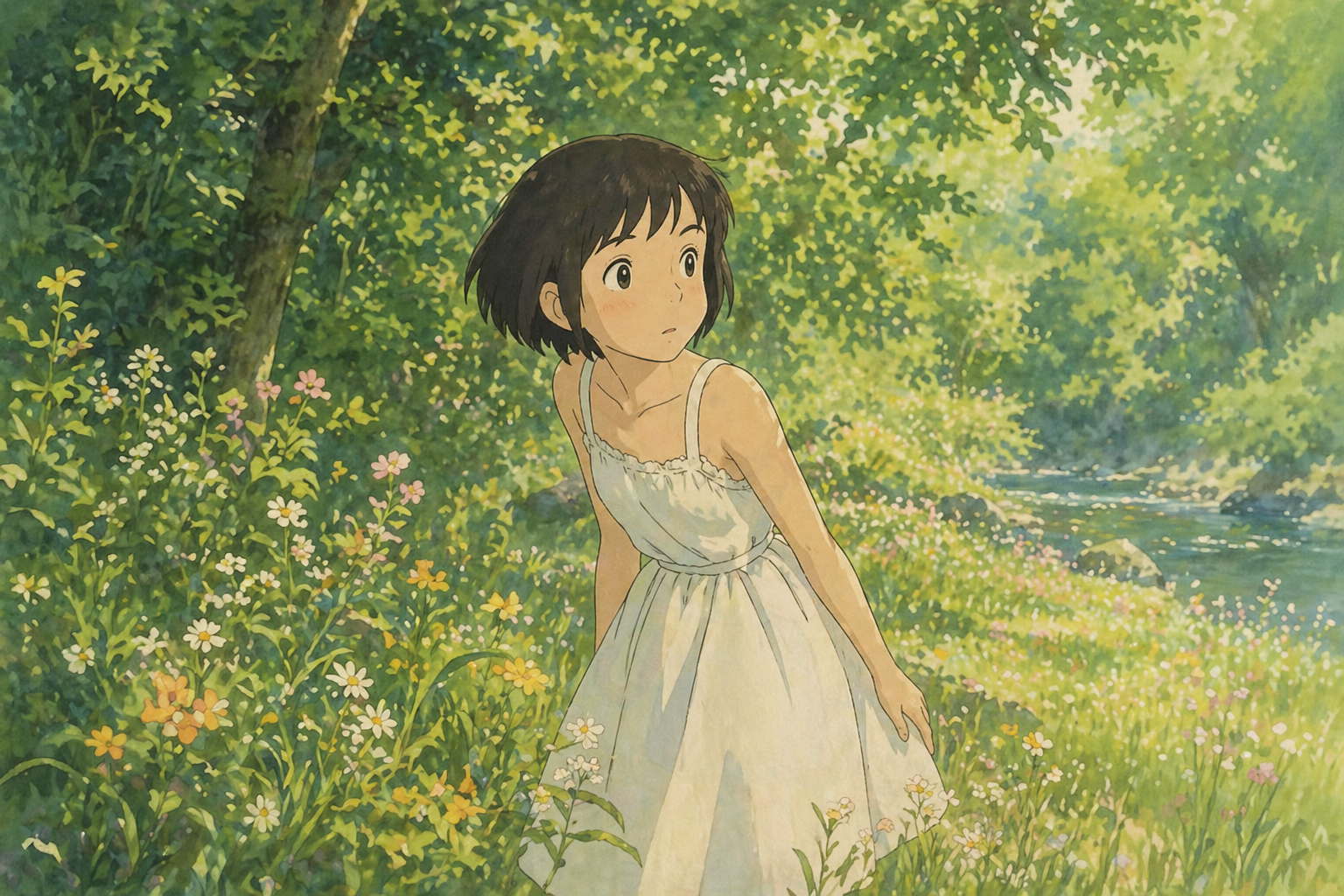

“The girl from Image 1 is jogging lightly through a sunlit forest. The glowing forest spirit from Image 2 playfully flies closely behind her like a small comet, leaving a faint luminous trail in the air. Golden light filters through the dense trees. Cinematic audio of soft, quick footsteps on grass, a gentle magical whoosh, and distant bird calls.”
Duration: 5s
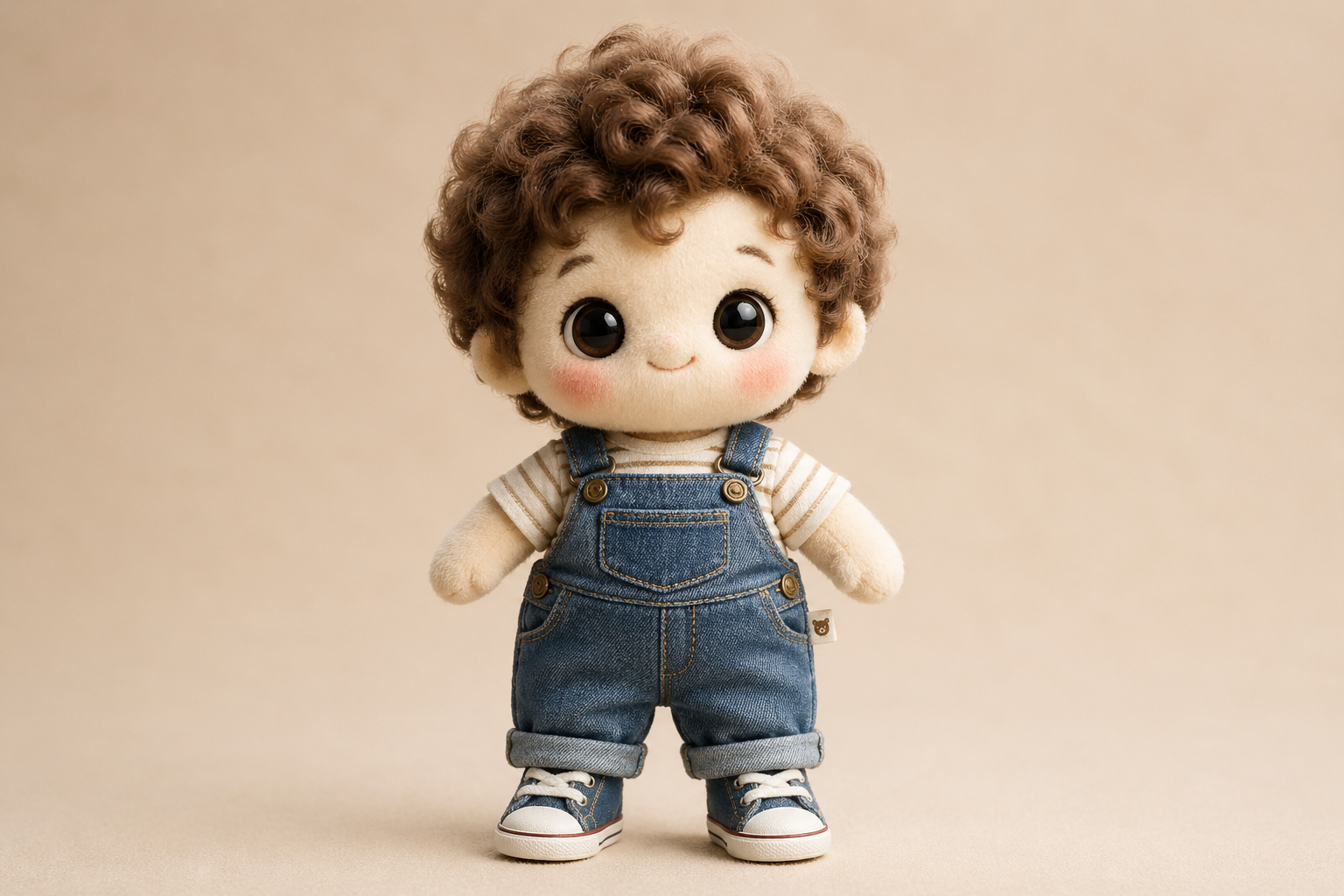

“Place the cotton doll from Image 1 into the vintage room from Image 2. The doll sits on the wooden workbench, gently swinging its legs, looking around curiously. Keep the lighting of Image 2 and the plush texture of Image 1 strictly consistent.”
Duration: 5s
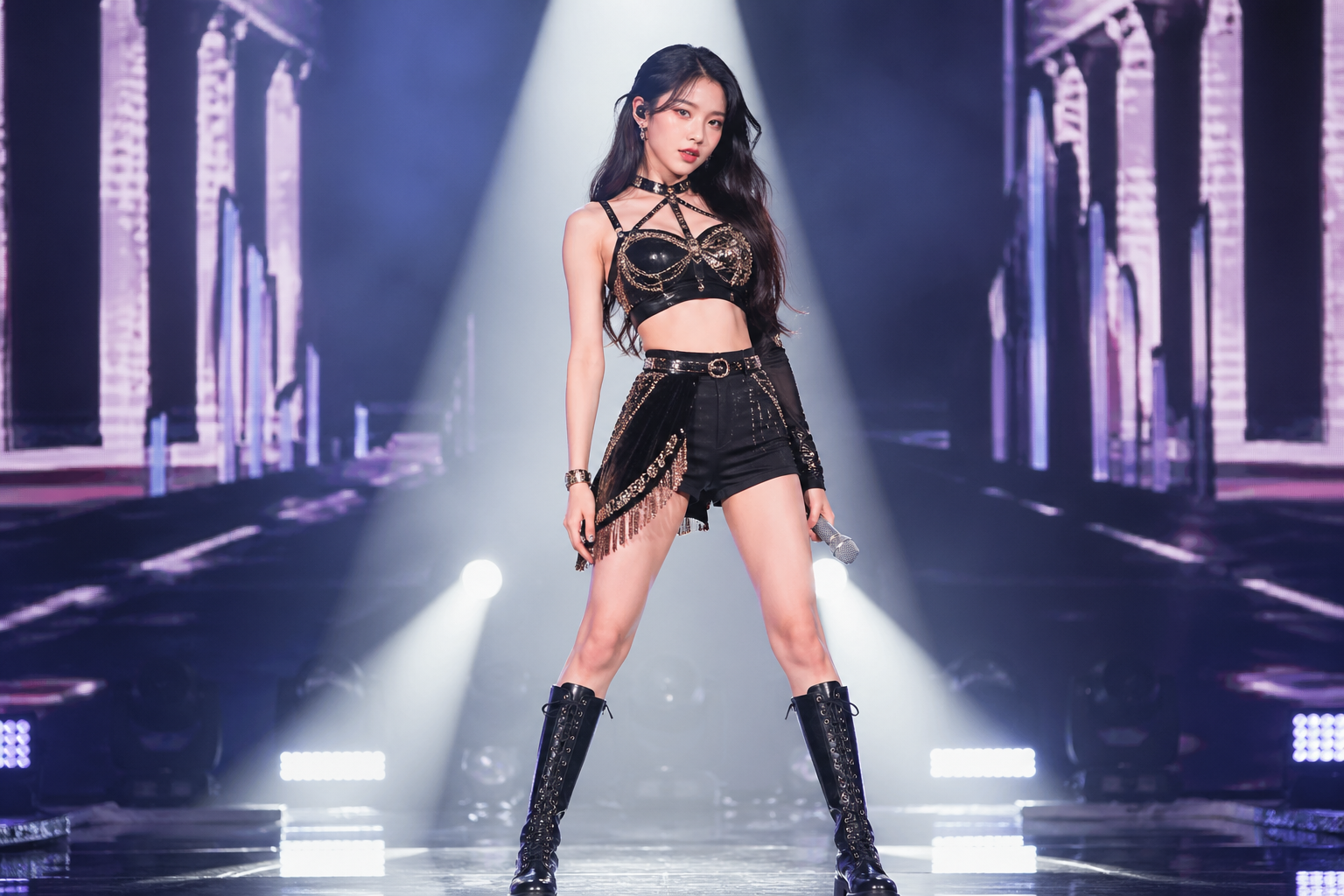
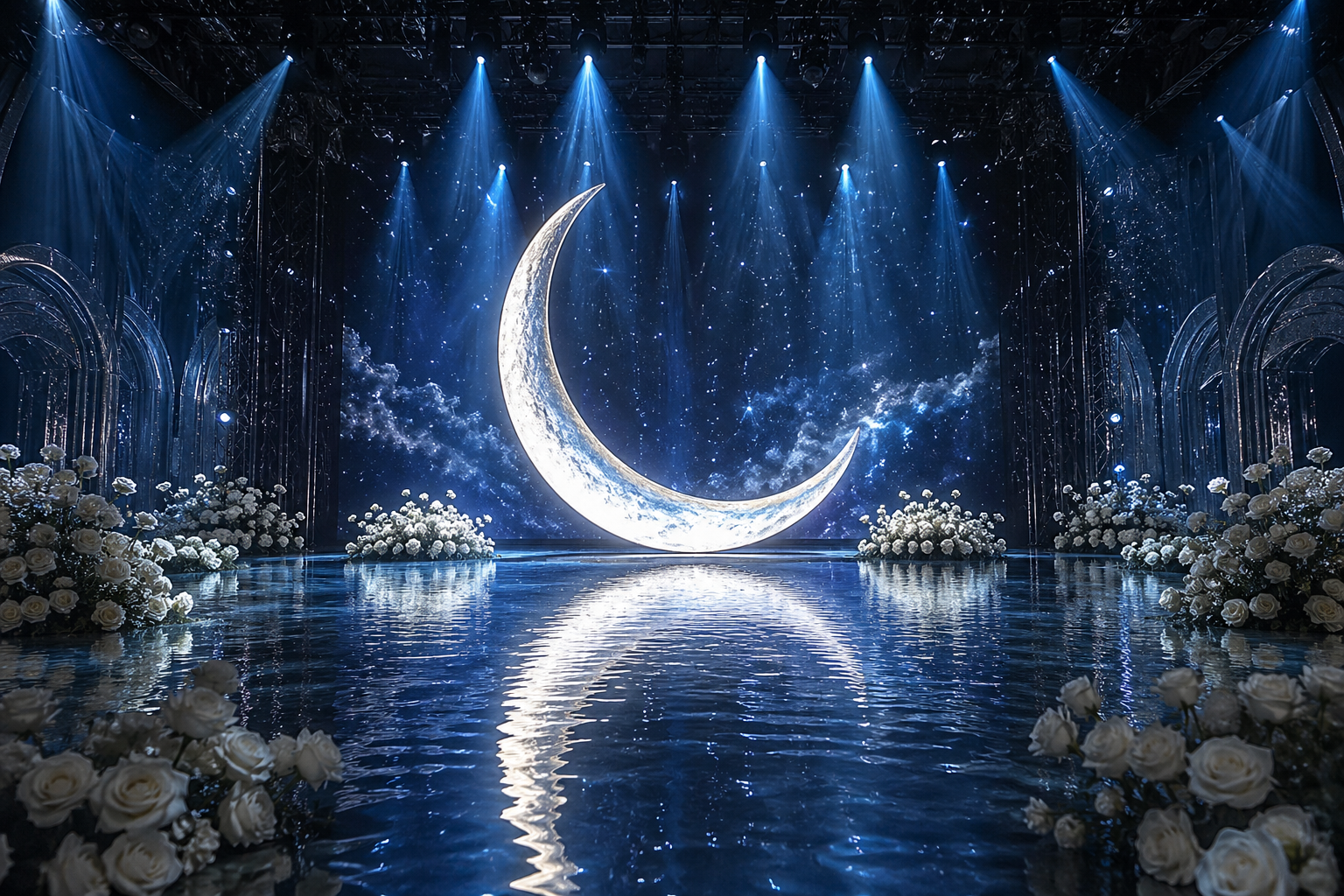
“The idol from Image 1 stands on the water stage from Image 2, directly in front of the giant glowing moon. The idol steps forward slowly, creating gentle ripples in the water, and raises the microphone to sing. The soft blue light from the moon reflects perfectly on the idol's outfit.”
Duration: 5s
3 Video Edit Cases
Replace subjects, styles, or elements while keeping camera motion
“Replace the teenage boy in the video with SpongeBob SquarePants. He should retain his classic iconic look: a yellow rectangular sea sponge with large blue eyes, wearing a white collared shirt, red tie, and brown square pants. SpongeBob should be riding the skateboard naturally and performing the kickflip. Render him in a high-quality 3D realistic style to match the lighting and shadows of the real-world park background. Keep the original camera tracking and motion exactly the same.”
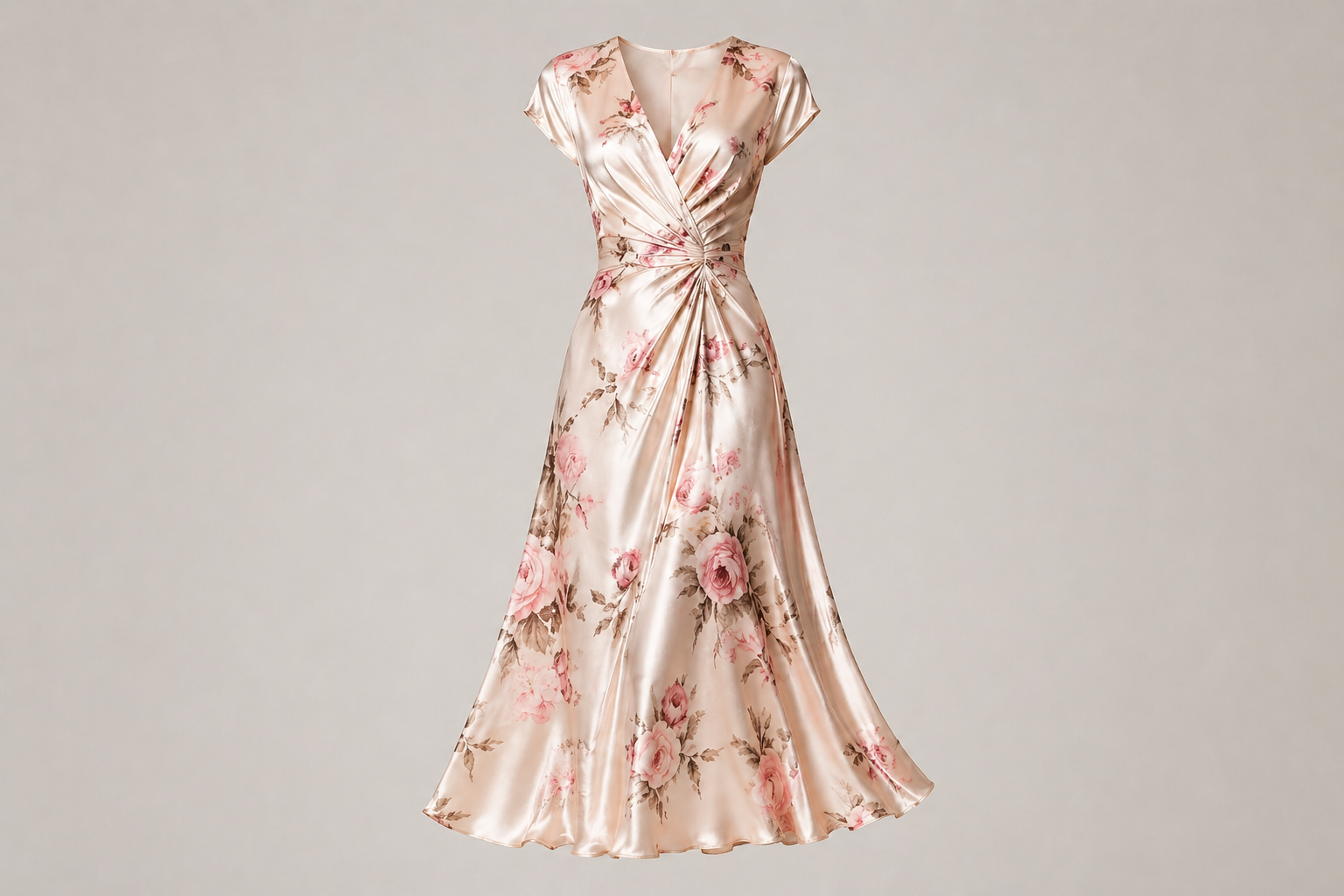
“Replace the grey hoodie and pants with the floral silk skirt from the reference image. The skirt should flow and sway naturally with the woman's walking and spinning motion. Keep her face, hair, and the living room background exactly the same.”
“Transform the entire video into a vibrant Lego world. The person, the desk, and every object in the room should be constructed from high-quality plastic Lego bricks. Keep the original waving motion and spatial layout perfectly. The lighting should be bright and clean, like a professional Lego toy commercial.”
HappyHorse FAQ
HappyHorse FAQ
HappyHorse ist Alibabas multimodales Videomodell der nächsten Generation mit nativer Audio-Video-Ko-Generierung und vier produktionsreifen Szenarien in einem vereinten Modell: Text-zu-Video, Bild-zu-Video, Multi-Bild-Referenz und In-Place-Editing. Es ist tiefgreifend für Werbung, E-Commerce, Kurzdramen und Social-Creatives abgestimmt.
HappyHorse unterstützt 720p- und 1080p-Ausgabe. Übliche Längen sind 5, 8 und 10 Sekunden; der Video-Edit verwendet die Länge des Quellvideos.
Bis zu 5 Referenzbilder in den Szenarien Referenz-zu-Video und Video-Edit. Verwende Labels wie Image 1 / Image 2 im Prompt zur präzisen Bindung.
Lade ein Quellvideo hoch und beschreibe die Änderung. HappyHorse ersetzt Motive, Outfits oder Renderstile, während Kamerapfad, Timing und Komposition erhalten bleiben. Ideal für Lokalisierung, Remixes und schnelle visuelle Experimente.
Du kannst HappyHorse mit täglichen Gratis-Generierungscredits testen. Preise skalieren mit Dauer und Auflösung: 720p kostet 31 Credits/Sekunde, 1080p 51 Credits/Sekunde.
Für erste Tests ist keine Anmeldung nötig. Mit einem Konto kannst du Verläufe speichern, längere Generierungen freischalten und deinen Credit-Stand verfolgen.
Was Creator über HappyHorse sagen
“Mit HappyHorse produzieren wir Produktvideos in vier Stilen aus einem Briefing — die Multi-Bild-Referenz ist ein echter Zeitgewinn.”
Mei Lin: “Mit HappyHorse produzieren wir Produktvideos in vier Stilen aus einem Briefing — die Multi-Bild-Referenz ist ein echter Zeitgewinn.”
Tomás Álvarez: “Native Audio-Video-Ko-Generierung ist genau das, was Kurzdramaproduktion braucht — kein separater VO- oder Foley-Schritt mehr.”
Rika Sato: “In-Place-Editing ist das Killer-Feature. Ich teste fünf visuelle Richtungen vor der Mittagspause — ohne Neudreh.”
Daniel Park: “Ein einziges Modell für Text, Bild, Referenz und Edit hält unseren Workflow straff. HappyHorse hat einen festen Platz in unserer Pipeline.”
Weitere KI-Video-Modelle entdecken




Mit HappyHorse starten
Erlebe HappyHorse — Alibabas multimodales Videomodell, kostenlos online





10,000+ users